
Did you install Flash on your computer so that advertisers can serve you animated ads? Or ads that start talking or ads that cover up whole parts of a page and need to be clicked away before you can read the page? Or did you install Flash on your computer so that websites could secretly track you with persistent Flash cookies installed by invisible Flash elements on their webpages. Most likely neither.

Flash is one of the most abused content formats on web pages. It is all too often being used for things that it should not be used for. One could opt to simply uninstall flash (or never install it in the first place), but unfortunately some sites do use it for legitimate purposes. What we really need is a whitelist of sites that we allow to serve us flash content.
Fortunately there is an add-on for Firefox that does exactly that. It is the aptly named Flashblock extension.
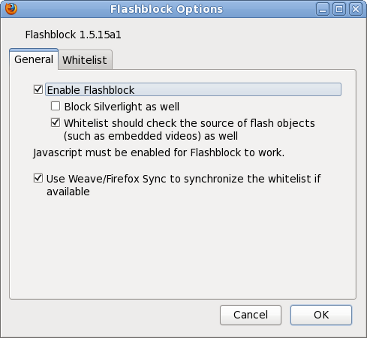


The Flashblock add-on has two imperfections, the first is that when you select "Allow Flash from this site", flash content is not immediately activated, you need to reload the page. The second is that only entire sites can be whitelisted, while some sites have flash content that one wants to see and flash that one wants to block, being able to whitelist URL patterns or have the option of whitelisting individual flash elements would be nice. Neither of these two imperfections are really problematic in the day to day use of this add-on.
To use this add-on (extension):
7is7.com | Software | Otto | Travel Stories | Countdown Clock | Firefox | StatEye
New | About | Contact | Connect | Friends | Promotions | Copyright | Advertise